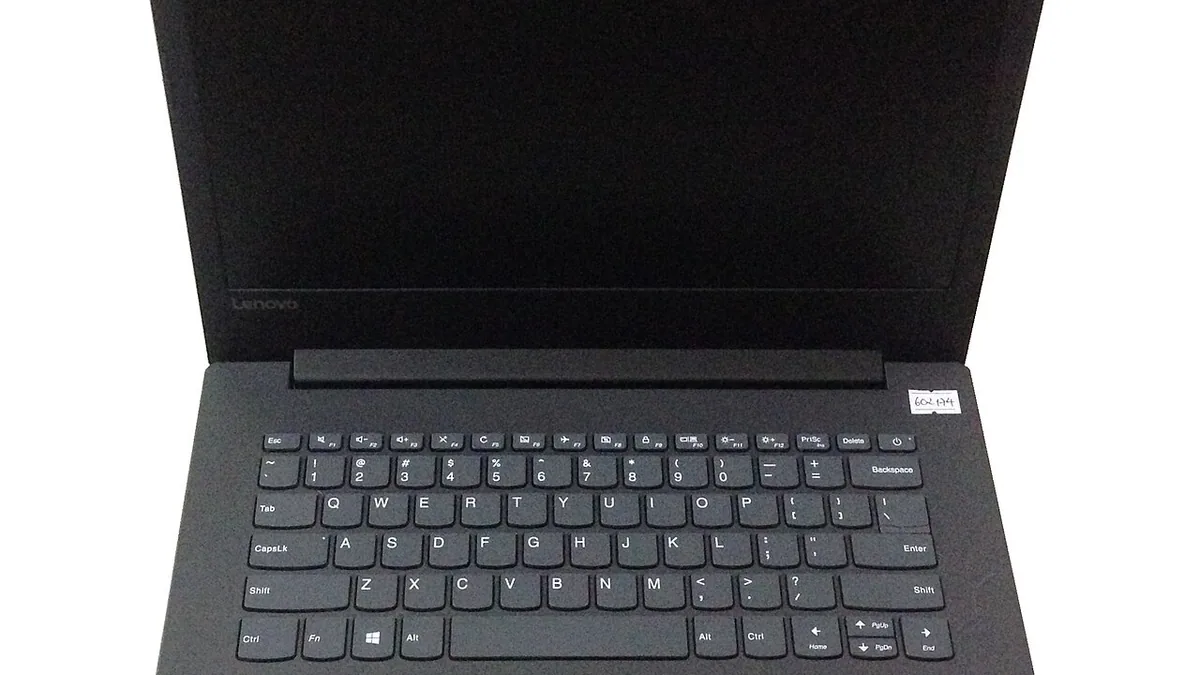
Lenovo's IdeaPad family is the company's consumer line, deliberately separate from the business-oriented ThinkPad range. Wikipedia records that the IdeaPad 3 series arrived in early 2020 and has since been sold in several forms: the standard IdeaPad 3, the IdeaPad Slim 3, the IdeaPad Flex 3 and the IdeaPad Gaming 3. In Bangladesh, the Slim 3 is the version that turns up most often on student shortlists because it is the thin-and-light member of that family.
The local price band runs from roughly ৳55,000 to ৳82,000, and the processor is what separates the cheap end from the expensive end: Intel Core i3, Core i5 or AMD Ryzen 5 depending on the SKU. That is a wide spread for a single nameplate, so the sticker on the box matters more than the badge on the lid. Buyers walking through Dhaka's computer markets will see both distributor-backed units and importer-backed ones.
This is a research-based review. 24khobor did not test this laptop. Everything below is judged from Lenovo's published positioning, Bangladeshi retail pricing, published reviews and owner feedback — and where those sources are silent, this article says so instead of filling the gap with numbers.
Key Specifications at a Glance
| Brand & series | Lenovo IdeaPad Slim 3, part of the consumer IdeaPad 3 family introduced in 2020 |
|---|---|
| Family positioning | Thin-and-light sibling of the IdeaPad 3, Flex 3 and Gaming 3 |
| Processor options | Intel Core i3, Intel Core i5 or AMD Ryzen 5, depending on the SKU |
| Graphics | Integrated graphics on productivity SKUs — confirm with the seller |
| Display | Size and panel type vary by variant; not confirmed across the lineup |
| Memory & storage | Varies by SKU; not confirmed in the references used for this review |
| Weight | Marketed as lightweight; the exact figure differs by screen size (not confirmed) |
| Operating system | Windows-based; check the edition printed on the box |
| Warranty in Bangladesh | Depends on official vs importer-backed unit — get it in writing |
| Approx. price in Bangladesh | ৳55,000 – ৳82,000 (approx.) |
The table is deliberately short on hard numbers, because Lenovo sells many different machines under this one name and the sources used here do not pin down a single configuration. Two units on the same shelf can differ in processor generation, memory, storage and panel. The useful habit is to read the full SKU code and the spec sheet, not the marketing poster.
What the lineup does tell you is the intent: these are productivity laptops with integrated graphics, built for documents, browsers, video calls and light creative work. Nothing in the family positioning suggests a machine for modern AAA gaming, heavy 3D rendering or professional colour grading.
Design, Ergonomics & Build Quality
The Slim 3 exists because the standard IdeaPad 3 is thicker. For a Bangladeshi student moving between a mess in Mohammadpur, a campus in Savar and a coaching centre in Farmgate, a lighter chassis is not a luxury — it is the difference between carrying a bag comfortably and resenting it. The trade-off in this price class is usually material quality, and owners should treat the lid and hinge with ordinary care.
Ergonomics are the part you can judge in the shop in two minutes. Type a full paragraph on the keyboard, check whether the palm rest flexes under your wrists, open and close the lid a few times and feel whether the hinge tracks evenly. Key travel and keycap size vary between generations of this family, so a recommendation from a forum about a 2023 unit may not describe the 2026 stock sitting in front of you.
Bangladesh-specific durability concerns are dust, humidity and transport. Dust accumulates in vents faster in a city with heavy road dust, and a damp room during monsoon is unkind to any laptop's internals. A cheap sleeve, a dry storage spot and a habit of never eating over the keyboard will extend the machine's life more than any accessory sold at the counter.
Display & Multimedia Experience
Panel quality is the biggest variable in this bracket, and the sources used here do not confirm one specification across the Slim 3 range. Some variants are sold on resolution alone, others on panel technology. Before paying, ask the shop to power the exact unit on, open a white document and look for washed-out viewing angles or obvious backlight bleed — both are common in budget panels.
For coursework, a full-HD panel makes long reading sessions and spreadsheet work noticeably easier than a lower-resolution one, and it is the specification most worth defending during negotiation. Speakers on thin budget laptops are typically adequate for a single viewer and poor for a group; students who attend online classes should budget for a basic headset or earbuds rather than relying on the built-in drivers.
Multimedia use in Bangladesh also means video calls on unstable connections. A decent webcam and microphone matter more than speaker loudness for online classes and freelance client calls, and neither can be upgraded later. Test a recording in the shop if the seller allows it.
Performance & Daily Multitasking
On paper, the Core i3 variants suit a browser with a dozen tabs, Word, PowerPoint and a video call running together. The Core i5 and Ryzen 5 variants add headroom for heavier multitasking: a code editor with a local server, a statistics package for a thesis, or light Photoshop work. Which one you need depends on your degree, not on benchmark charts.
Realistic Bangladeshi student workloads look like this: a lecture PDF on one side of the screen, a document being typed on the other, WhatsApp Web and a music tab in the background. Any current Slim 3 configuration should handle that. Freelancers doing graphic design, video trimming or web development with several local services will feel the difference between the entry and mid chips within a month.
Be clear about what integrated graphics cannot do. Modern AAA titles, heavy Blender renders and long 4K timelines are outside this machine's remit, and no amount of RAM changes that. Buyers who need those workloads should look at Lenovo's Gaming 3 line or a creator-focused model instead of stretching this budget.
Cooling, Noise & Power Consumption
The references used here do not publish thermal or noise figures for the Slim 3, so no temperatures or decibel numbers are quoted in this review. What can be said is structural: thin laptops have small fans and narrow vents, and both clog faster in dusty Dhaka air. Keeping the vents clear and never resting the machine on a bed or cushion is the single most effective thermal habit.
Ambient heat is the second factor. A room at 35°C during an April afternoon gives any budget laptop less thermal headroom than a conditioned office, and sustained exports or long calls will push the fan harder. Students working in non-AC rooms should expect audible fan noise during heavy tasks and plan quiet work — reading, writing — for the hottest hours. A room cooler such as a Walton 1.5 Ton Inverter AC changes that equation, but it is a separate budget line.
Power draw is modest for a productivity laptop, but the local grid is the real issue. Voltage spikes and sudden outages are hard on chargers and batteries alike, so a surge protector is a sensible minimum and a small UPS is worth considering for anyone whose freelance income depends on the machine staying on.
Battery Life, Charging & Longevity
Battery capacity figures differ across Slim 3 variants and are not confirmed in the sources used here, so treat any specific hour-count you read online as applying to one particular SKU. What matters practically is that a thin productivity laptop in this class is generally designed to survive a lecture block or a commute, not a full day of heavy use away from a socket.
Load-shedding makes charging discipline important. Owners should charge during available hours, avoid leaving the laptop plugged in at 100 percent for days on end, and not run it to zero repeatedly. Lenovo's own battery-care settings, where present, let you cap the charge level — a useful option for anyone who mostly works at a desk.
Longevity in Bangladesh also depends on service. Original chargers and batteries are easier to source in Dhaka than in district towns, so buyers outside the capital should weight a strong local dealer relationship heavily. A machine that needs a week of courier travel for a simple charger swap is a machine that will sit idle.
Price in Bangladesh, Variants & Rival Comparison
Local pricing for the IdeaPad Slim 3 sits at roughly ৳55,000 to ৳82,000, with the processor tier, memory and storage driving the spread. Official distributor units carry a warranty backed by a local entity. Importer-backed units are often cheaper but the warranty is only as good as the shop, so ask what happens in month eight if the motherboard fails, and get the answer written on the invoice.
| Model | Standout Feature | Approx. Price (BDT) |
|---|---|---|
| Lenovo IdeaPad Slim 3 | Thin-and-light member of the long-running IdeaPad 3 family | ৳55,000 – ৳82,000 (approx.) |
| Acer Aspire series | Lenovo's direct competitor in the consumer bracket | Not confirmed in our sources |
| ASUS VivoBook series | Named by Wikipedia as a direct IdeaPad rival | Not confirmed in our sources |
| HP Pavilion series | Same competitive set, wide local retail presence | Not confirmed in our sources |
Rival pricing moves too quickly, and per-SKU configurations differ so much that quoting a single figure for an Aspire, VivoBook or Pavilion would mislead. Wikipedia places all of them in the same competitive set as the IdeaPad, which is the useful takeaway: this is a crowded bracket, and the decision usually comes down to which shop gives a written warranty and which keyboard you personally prefer.
Final Verdict: Should You Buy It in Bangladesh?
Buy the IdeaPad Slim 3 if you are a university student, a job-seeker or an early-stage freelancer who needs an ordinary Windows laptop for writing, browsing, online classes, spreadsheets and light creative work — and who values a light bag over raw power. Confirm the exact processor, RAM, storage and warranty terms before handing over money.
Skip it if your work involves serious gaming, heavy 3D modelling, long 4K video edits or colour-critical design. Those needs start at Lenovo's Gaming 3 tier or a dedicated creator laptop, and no Slim 3 configuration will close that gap. Also skip it if you cannot verify the warranty, however attractive the price looks.
Compared with its IdeaPad siblings, the Slim 3 is the version to choose for portability; compared with the wider market, it is a safe, well-supported default rather than an exciting one. In a market where service access decides how long a laptop actually lasts, that ordinariness is the point.
How we researched this review
This review draws on Lenovo's published product-line information as summarised by Wikipedia, Bangladeshi retail and dealer price ranges for the ৳55,000–৳82,000 band, and published reviews and owner reports about the IdeaPad 3 family. 24khobor did not test this laptop, and specifications not confirmed by those sources are marked as such.